
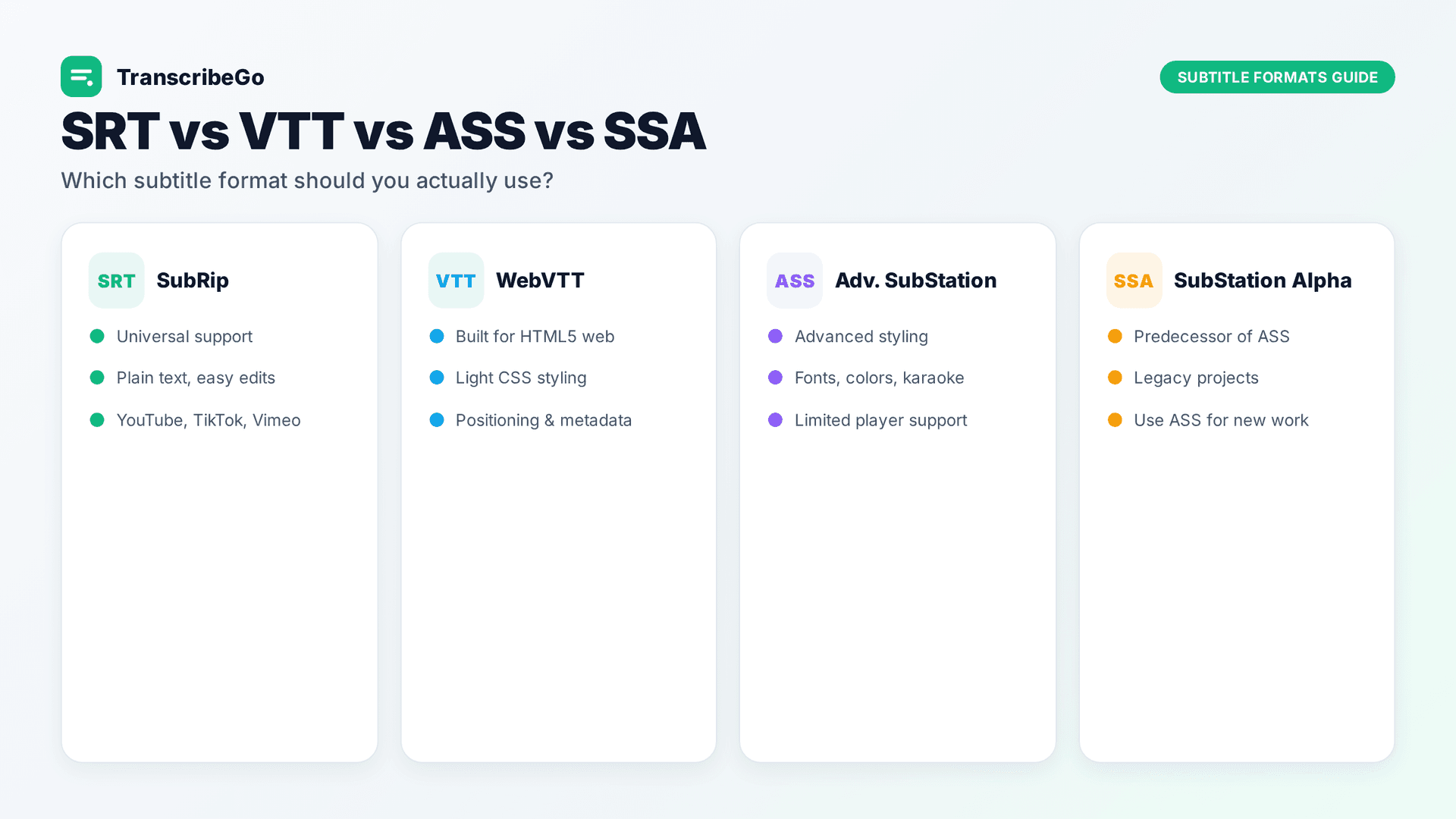
The four most common subtitle formats are SRT, VTT, ASS, and SSA. Use SRT for maximum compatibility (YouTube, TikTok, Vimeo, most players), VTT for web and HTML5 video, and ASS or SSA when you need advanced styling like custom fonts, colors, positioning, and karaoke effects. For roughly 90% of everyday use cases, SRT is the right choice — it is plain text, universally supported, and easy to edit. You only need the more complex formats when styling and precise on-screen control matter.
Subtitles are no longer a nice-to-have. Around 85% of social media videos are watched without sound, and viewers are 80% more likely to watch an entire video when it includes captions. Subtitle adoption keeps climbing too: 70% of Gen Z say they use subtitles all or part of the time, even for content in their own language. Picking the right subtitle format is the difference between captions that work everywhere and a file that breaks on the platform you actually publish to.
This guide breaks down each format, when to use it, and how to generate the format you need in minutes — without manual timing or expensive software.
What Is a Subtitle Format, Exactly?
A subtitle format is just a text file structure that tells a media player three things: what text to show, when to show it, and (sometimes) how to style it. Every format stores the same core data — timed lines of dialogue — but they differ in how much extra information they can carry.
Think of it as a spectrum. On one end you have simple, plain-text formats that only store timing and text. On the other end you have rich formats that store fonts, colors, positions, and animations. More capability usually means less compatibility, so the "best" format always depends on where your video will play.
SRT (SubRip) — The Universal Standard
SRT, short for SubRip Subtitle, is the most widely used subtitle format in the world. It is plain text, human-readable, and supported by virtually every video player and platform: YouTube, TikTok, Vimeo, Facebook, VLC, Plex, and streaming services all accept it.
An SRT file is built from numbered "cues." Each cue has an index number, a start and end timestamp, and one or two lines of text:
1
00:00:01,000 --> 00:00:04,500
Welcome to today's presentation.

2
00:00:05,000 --> 00:00:08,200
We'll cover three key topics this quarter.
Notice the timestamp uses a comma before the milliseconds (,000). That small detail matters — it is one of the few technical things that separates SRT from VTT.
When to use SRT: Almost always. If you are uploading to a social platform, sharing captions with a client, or just want something that works everywhere, SRT is the safe default. Its only real limitation is styling — SRT does not natively support colors, fonts, or on-screen positioning. Some players honor basic <i> and <b> tags, but you should not rely on them.
VTT (WebVTT) — Built for the Web
VTT, or WebVTT (Web Video Text Tracks), was designed specifically for HTML5 video. If you are embedding video on your own website with the <track> element, VTT is the native, standards-based choice.
VTT looks almost identical to SRT, with two key differences. First, timestamps use a period instead of a comma before milliseconds (00:00:01.000 instead of 00:00:01,000). Second, VTT supports basic styling and layout: you can position cues on screen, add CSS-based styling, mark speakers, and include metadata. A VTT file also starts with a WEBVTT header line.
WEBVTT

1
00:00:01.000 --> 00:00:04.500
Welcome to today's presentation.
When to use VTT: For web players and HTML5 video embeds, and when you need light styling or positioning that SRT cannot provide. Converting between SRT and VTT is trivial because they share the same structure — often it is just swapping commas for periods and adding the header. Most modern tools handle the conversion automatically.
ASS (Advanced SubStation Alpha) — Maximum Styling
ASS, short for Advanced SubStation Alpha, is the power user's format. It supports the widest range of styling by far: custom fonts, colors, outlines, shadows, precise positioning, rotation, animations, and even karaoke timing effects. The anime fansubbing community popularized ASS precisely because it can reproduce complex on-screen typography.
The trade-off is complexity and compatibility. An ASS file has a structured header that defines styles, plus dialogue lines that reference those styles. It is far less forgiving to edit by hand, and many players — especially web players and mobile apps — either ignore the styling or do not support ASS at all. Players built on the libass library (like VLC and mpv) render it correctly.
When to use ASS: When styling is the whole point — typesetting, signs, lyric videos, karaoke, or any project where captions need to look a specific way and you control the playback environment.
SSA (SubStation Alpha) — The Predecessor of ASS
SSA, or SubStation Alpha, is the older format that ASS evolved from. ASS is essentially "SSA version 4+," with more styling options and better precision. SSA still works in many players, but there is rarely a reason to choose it over ASS for a new project.
When to use SSA: Mainly for compatibility with older tools or existing SSA files. For new styled subtitles, ASS is the better choice. Think of SSA as legacy ASS.
Quick Comparison: Which Subtitle Format Should You Use?
A simple rule of thumb: start with SRT. Move to VTT if you are publishing on your own website. Reach for ASS (or SSA for legacy needs) only when advanced styling is essential. Whatever you choose, conversion between formats is straightforward, so you are never locked in.
How to Generate Any Subtitle Format Fast
Here is the part most guides skip: the format is the easy part. The hard part is getting an accurate, perfectly timed transcript in the first place. Manually transcribing and timing subtitles can take five to six times the length of the audio. The smarter approach is to transcribe automatically and export the format you need.
TranscribeGo handles this end to end. Upload a video or audio file, or paste a URL from YouTube, TikTok, or Vimeo, and the AI-powered engine transcribes the audio with word-level timestamps automatically. It works in over 90 languages with automatic language detection, so you do not have to specify the language in advance. Once the transcription is ready, export it as an SRT file with one click — and convert to VTT or another format when your platform needs it.
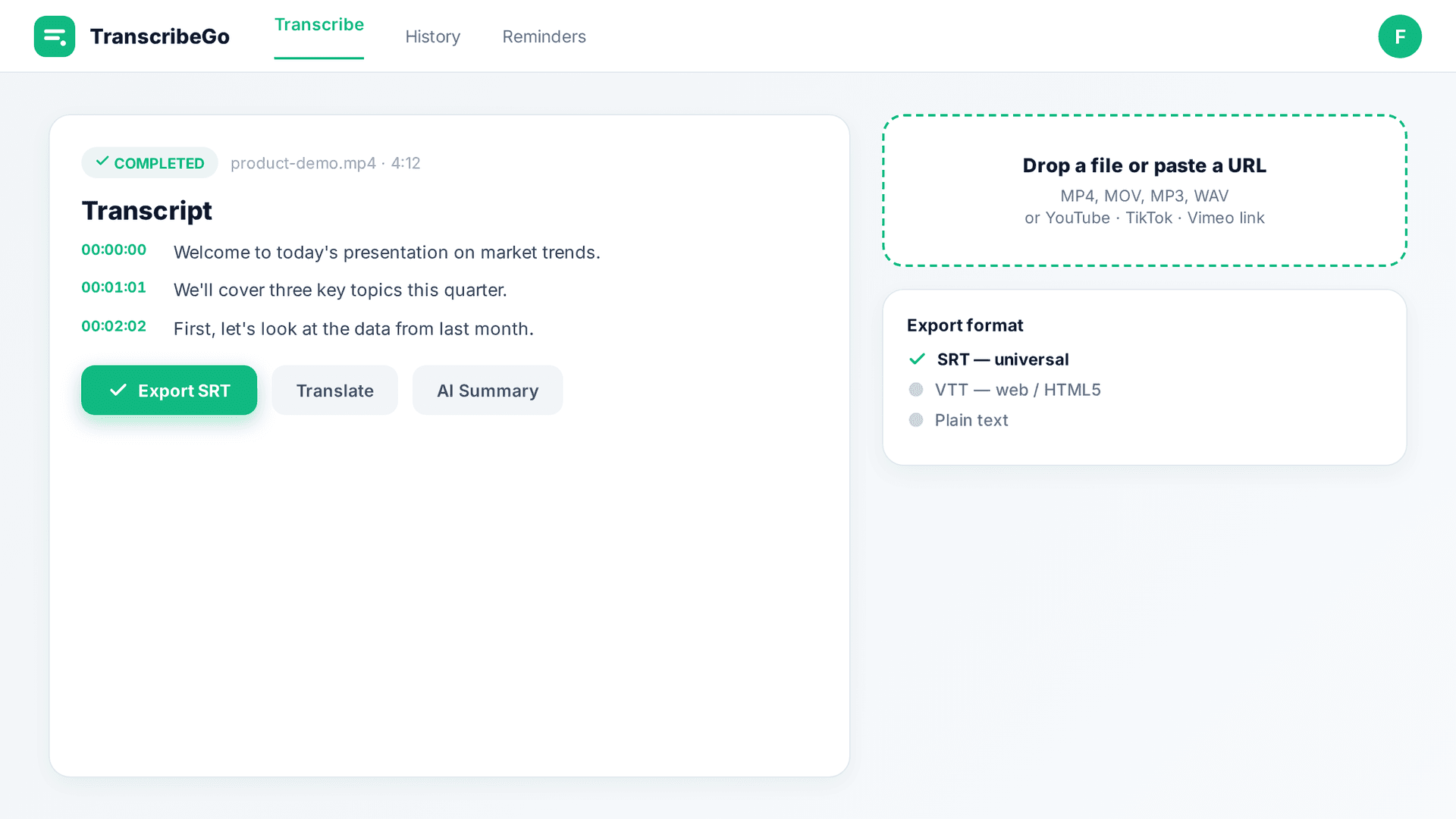
What makes TranscribeGo more than a subtitle tool is everything that surrounds the transcript. After your video is transcribed, you can:
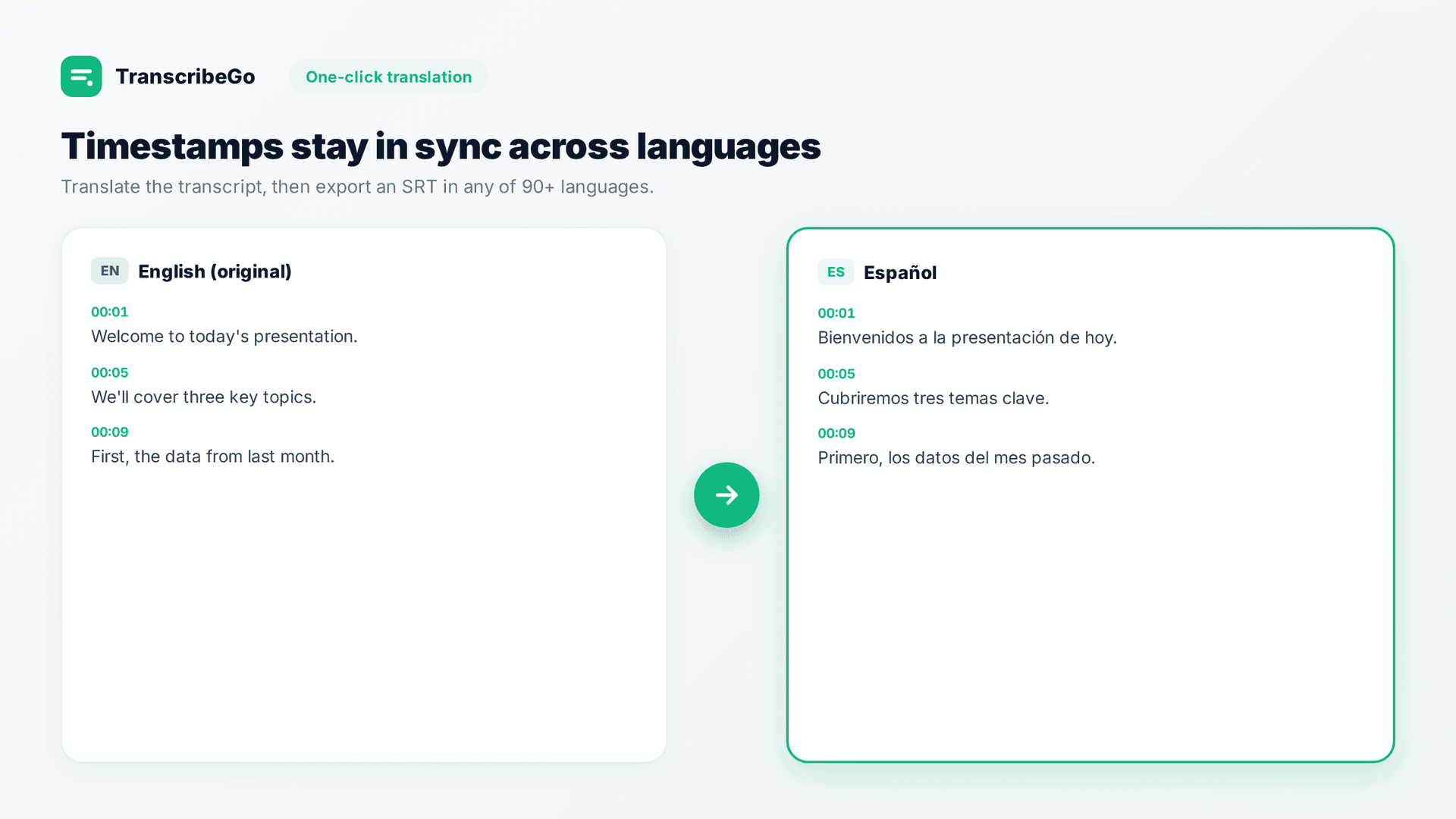
- Translate the entire transcript to another language in one click, keeping timestamps aligned so the subtitles stay in sync. This is the fastest way to localize captions for international audiences.
- Export SRT subtitle files ready for YouTube, social platforms, or any media player.
- Generate AI summaries of long recordings, so you get the key points without reading the full transcript.
- Search and manage everything in a clean web dashboard at transcribego.com, where every transcription you have ever made lives in one searchable place.
Beyond Subtitles: Voice Notes, Reminders, and Multi-Channel Access
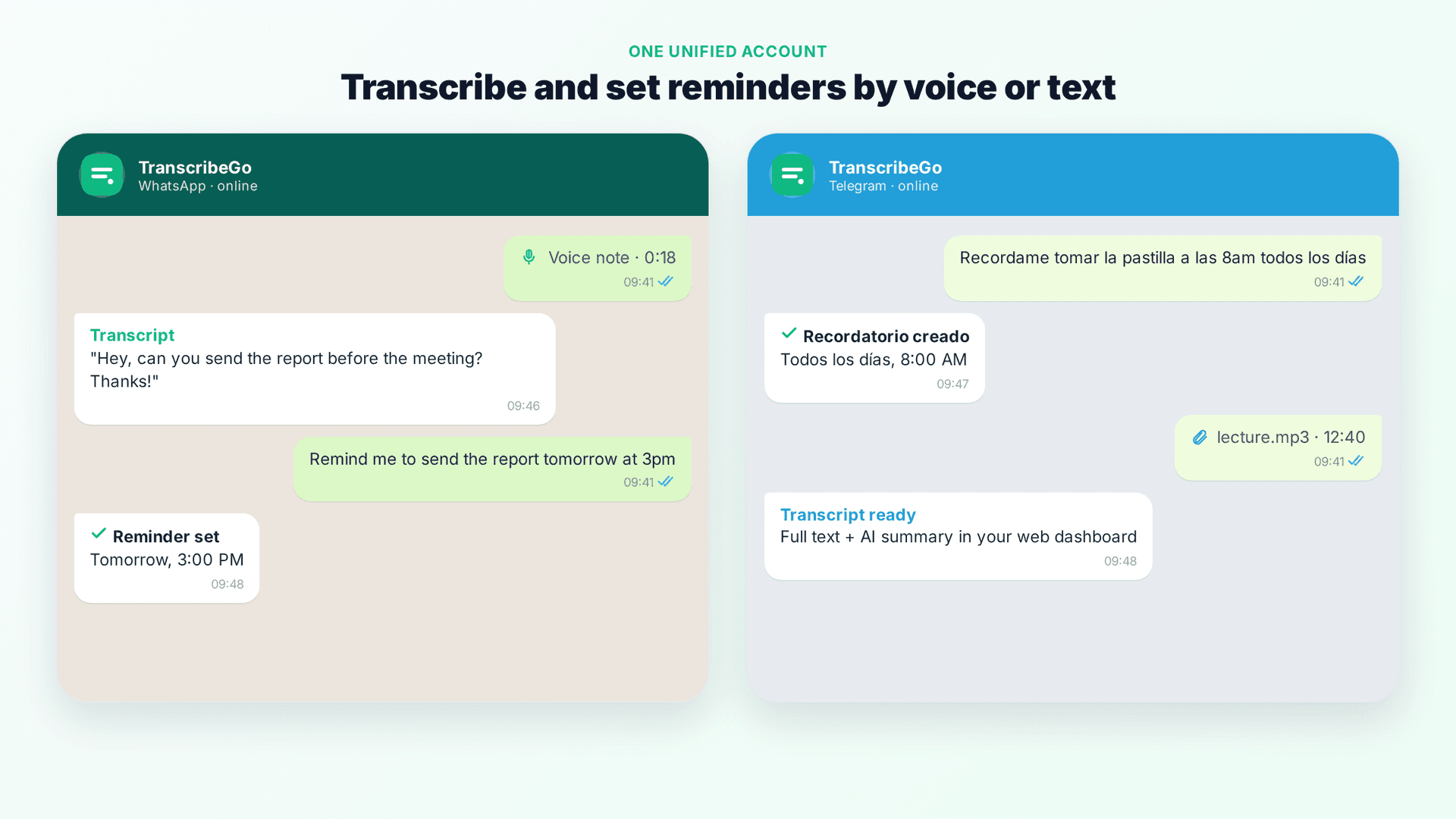
TranscribeGo is not limited to the web app. It works across WhatsApp, Telegram, and the web with a single unified account, so you can transcribe wherever you already are. Forward a voice note or audio file to the TranscribeGo bot on WhatsApp or Telegram and you get the transcription back instantly in the chat — and it also appears in your web dashboard, ready to export as SRT.
One of the most loved features has nothing to do with subtitles at all: reminders. People forget things, and TranscribeGo lets you set reminders by voice or text directly inside WhatsApp and Telegram. Just send a message like:
- "Remind me to publish the subtitled video tomorrow at 3pm"
- "Remind me to call the client every Monday at 9am"
- "Recordame tomar la pastilla a las 8am"
You can set one-time or recurring reminders, and TranscribeGo pings you at the right moment in the same chat you already use every day. For anyone juggling content workflows, client work, or just everyday life, it turns the same app you use for transcription into a lightweight productivity assistant.
Common Mistakes to Avoid with Subtitle Formats
Uploading the wrong format to the wrong platform. Don't upload an ASS file to a platform that only reads SRT — the styling will be stripped or the file rejected. Match the format to the destination.
Mixing up comma and period in timestamps. This is the classic SRT-versus-VTT error. SRT uses commas (00:00:01,000), VTT uses periods (00:00:01.000). Get it wrong and the player may refuse to load the file. Exporting from a dedicated tool avoids this entirely.
Over-styling when you don't need to. ASS is powerful, but if you are publishing to YouTube or social media, all that styling gets discarded anyway. Save yourself the complexity and stick with SRT unless you control the playback environment.
Letting lines run too long. Regardless of format, keep each line under about 42 characters so captions are comfortable to read on any screen — especially mobile.
Try TranscribeGo Free
10 free minutes. No credit card required.
Frequently Asked Questions
What is the best subtitle format overall?▾
For most people, SRT is the best subtitle format. It is plain text, easy to edit, and supported by virtually every platform and player, including YouTube, TikTok, Vimeo, Facebook, and VLC. Use VTT for HTML5 web video, and only reach for ASS or SSA when you need advanced styling like custom fonts, colors, and positioning. TranscribeGo exports SRT by default and works across web, WhatsApp, and Telegram.
What is the difference between SRT and VTT?▾
SRT and VTT are nearly identical in structure. The two main differences are that VTT timestamps use a period before milliseconds (00:00:01.000) while SRT uses a comma (00:00:01,000), and VTT supports light styling, on-screen positioning, and metadata that SRT does not. VTT also begins with a WEBVTT header line. Use VTT for HTML5 web players and SRT for almost everything else.
What is the difference between ASS and SSA?▾
ASS (Advanced SubStation Alpha) is the newer, more capable version of SSA (SubStation Alpha) — effectively SSA version 4+. ASS adds more styling options, better positioning, and finer control over fonts and effects. SSA still works in many players, but for any new styled-subtitle project, ASS is the better choice. Treat SSA as a legacy format you only use for compatibility with older files or tools.
Can I convert between subtitle formats?▾
Yes. Because SRT and VTT share almost the same structure, converting between them is simple and usually automatic in subtitle tools. Converting to or from ASS/SSA is also possible, though styling may be lost when moving to a simpler format like SRT. The easiest approach is to generate your transcript once and export the format your platform needs.
Which subtitle format does YouTube support?▾
YouTube supports SRT (the most common choice), as well as VTT and several other formats. SRT is recommended for YouTube uploads because it is simple and reliable. Any styling from a format like ASS will be ignored, since YouTube applies its own caption styling. Export an SRT file from TranscribeGo and upload it directly in YouTube Studio.
How do I create subtitles without manual timing?▾
Use an automatic transcription tool. With TranscribeGo, you upload a video or audio file — or paste a YouTube, TikTok, or Vimeo URL — and the AI engine generates a transcript with word-level timestamps in over 90 languages. Then export an SRT file with one click. You can also forward voice notes to the TranscribeGo bot on WhatsApp or Telegram, translate the transcript to another language, and manage everything in your web dashboard.